Lighthouse Overview
The Lighthouse system is a motion capture system that emits infrared light sweeps that are captured by sensors on the embedded system. Using the time of the sweep, the angle of all four sensors can be calculated, which can then be used to calculate the pose of the car.
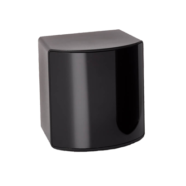
|
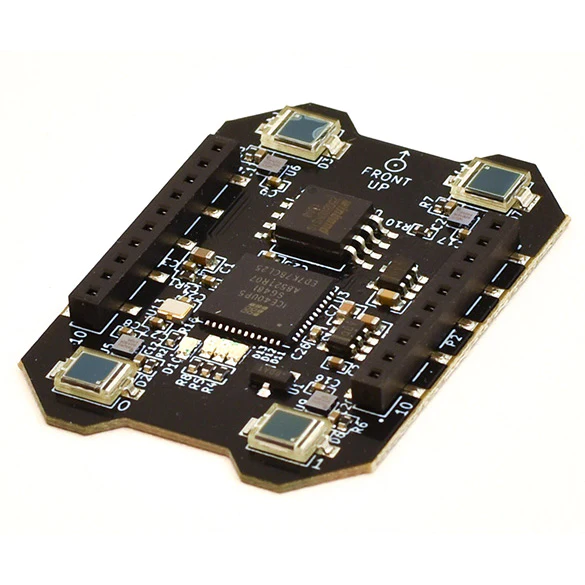
|
| Base Station | Positioning Deck |
Documentation index — full table of contents.
Hardware Guide
Base Station
The base station is a SteamVR Base Station 2.0. It is powered by a 12V DC adapter and should be placed such that it has good visibility of the entire track. The field of view of the base station is approximately 160°⨉115°.
Note: Version 1.0 of the base station is not supported.
Multiple Base Stations
Multiple base stations help cover the entire track and can improve the update rate of the Lighthouse system.
- Each base station can be placed individually and must be calibrated individually.
- Make sure that the base stations have independent identifiers. To change the identifiers, consult the Vive product support page about configuring channels.
Positioning Decks
The positioning decks are placed in the brackets and attached to the car's serial port. Make sure that the photodiode sensors are clean.
Checklist
Hardware
To run experiments using the Lighthouse system, the following hardware is required:
<summary>Tripod system</summary>
<img src="../img/lighthouse/tripod.png" width="300" style="float: left; padding-right: 30px" />
<p>
    The system stands 2.5m tall and the extension arm has a reach of 1.6m. At the end is a ball joint with a standard camera mount thread, this can be removed which reveals another standard camera mount thread.
</p>
<b>For each base station, the following are required:</b>

- 1x Manfrotto 161MK2B tripod
- 1x Manfrotto 131DB Accessory arm
- 1x K&M 19695 Ball joint
- 1x Custom made arm extension
- 1x Lighthouse base station 2.0
- 1x 12V DC adapter
- 1x USB cable
- 1x Power extension cord
<p style="clear: both;">
<summary>RC car(s)</summary>
For each car:
- Buggy car with Lighthouse bracket mounted
- Crazyflie Lighthouse Positioning Deck
- 4x rechargable battery
<summary>Tools</summary>

- Wi-Fi router incl. power adapter and ethernet cable
- Ethernet to USB-C adapter
- Lighthouse Calibration Tool
- Lens Cleaning Cloth to clean the photodiode sensors
- Battery charger
- PCB flashing equipment (ESP-PROG)
- Cable reel, extension cords and power strips
<summary>Track</summary>

- Track tiles (large black ones & track tiles)
- Red tape to mark the position of the track
Software
- The car firmware should be at least
v4.0. This can be verified using the car's web interface. Alternatively, connect the deck and turn the car on. If the red LED turns off on the deck, you're good to go. - The sensor model for Lighthouse needs to be present in the
estimator.yamlfile for the experiment you're running. To obtain the model, perform calibration.
Calibration
Using the four sensors, the car's pose relative to the Lighthouse base station can be calculated. Since the setup is very mobile, the base station is usually moved between testing days and extrinsic calibration is required. The calibration is done using the lighthouse_calib package. The package contains a launch file that starts the calibration node.
Follow the detailed instructions to calibrate the system.