Installation
For new users
Before installing the framework, you should make yourself familiar with ROS and how it works. A good starting point is the official ROS tutorials.
Prerequisites
The CRS environment uses Docker to allow cross-platform compatibility. The only requirement you have is to run an up-to-date operating system and up to 16 GB of free storage (some of it is only required during the setup). Below you find the install instructions for Ubuntu, macOS and Windows. For other operating systems, please contact the principal developers.
Install Instructions
Ubuntu (recommended)
These instructions were tested on the following Ubuntu versions:
- 18.04 LTS
- 20.04 LTS
However, the instructions should apply to all recent Ubuntu versions.
Steps
- Install Docker using the offical install instructions Note: The install instructions list Ubuntu in the server section!
- Allow Docker execution as a non-root user; follow these instructions Note: Only do the first section "Manage Docker as a non-root user"
-
Test your Docker installation with the following command Note: You might want to restart your computer at this point.
-
Clone the git repository Note: to clone over SSH instead, make sure you have an _SSH key set up._
-
Navigate to the Ubuntu setup folder
-
Execute the setup script
MacOS
These instructions were tested on macOS Sonoma (14.4). However, the instructions should apply to all recent macOS versions.
Steps
- Install Docker using the offical install instructions
-
Test your Docker installation with the following command
-
Clone the git repository Note: Make sure you have a SSH key set up, otherwise this doesn't work.
-
Navigate to the MacOS setup folder
-
Execute the setup script
Windows
These instructions were tested on the following Windows versions:
- Windows 11
Windows 10 should work as well, but might need some slight modifications.
Steps
- Install Docker using the official install instructions
-
Make sure to run Docker on WSL 2 (see Docker Desktop WSL 2 backend on Windows)
- Make sure you have WSL 2 installed and set Ubuntu as the default distro.
-
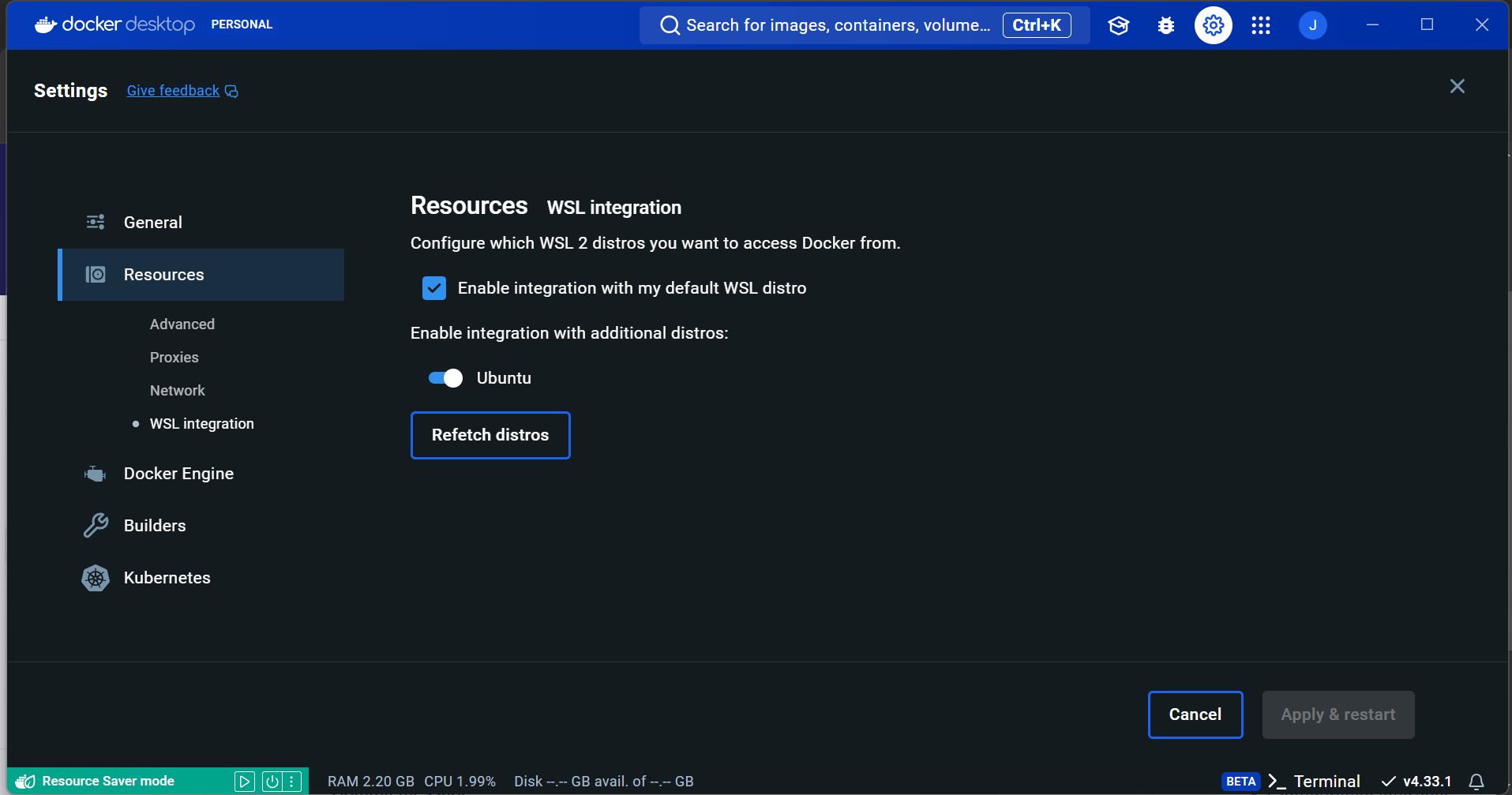
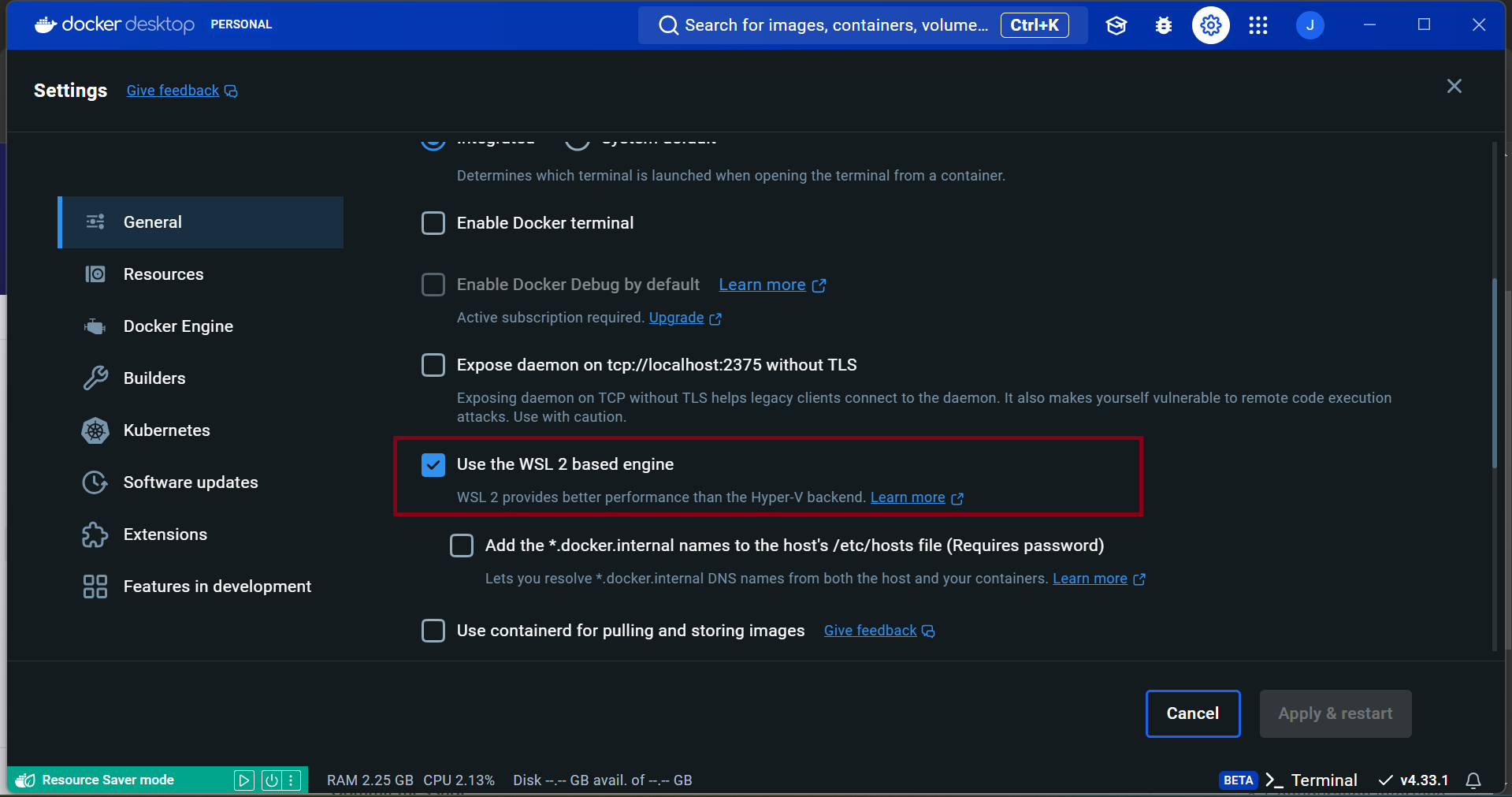
Make sure to tick the boxes in the Docker Desktop as in the screenshots below.
-
Open a PowerShell Terminal and get into your default WSL with:
-
Test your Docker installation with the following command Note: You might want to restart your computer at this point.
-
Clone the git repository Note: to clone over SSH instead, make sure you have an _SSH key set up._
-
Navigate to the Ubuntu setup folder
-
Execute the setup script
Manual Installation
To install the CRS platform without Docker use the following instructions. This only works with Ubuntu 18.04!
Steps
- Install ROS Melodic using these instructions
-
Clone the git repository Note: Make sure you have a SSH key set up, otherwise this doesn't work.
-
Navigate to the parent folder
-
Execute the setup script
Arch Linux
The Installation does not differ too much from the Ubuntu installation. There is however one caveat on Arch Linux: Running Docker containers might fill up your memory and crash your system. To prevent this, add following lines to the file /etc/docker/daemon.json :
Do not forget to restart the docker service with sudo systemctl restart docker.
Alternatively, one can specify these limits in the docker-compose.yaml file:
Next
- After the setup script has finished, you should log out of your terminal and open a new one. This step ensures the terminal environment is reloaded with all the changes.
-
In the crs folder, get familiar with the crs-docker tool by running
-
Initialize the CRS Docker environment with
Note: The first time, the last command might take a while to execute. Additionally, make sure you are not connected to a mobile network, since the first execution of the command above will download large amounts of data.
Sources:
- https://answers.ros.org/question/336963/rosout-high-memory-usage/
- https://unix.stackexchange.com/questions/359189/fixing-ulimit-open-files-cannot-modify-limit-operation-not-permitted
- https://wiki.archlinux.org/title/Docker#Slow_golang_compilation
- https://stackoverflow.com/questions/54387308/docker-compose-yaml-option-to-pass-the-ulimit-parameters-rtprio-and-memlo