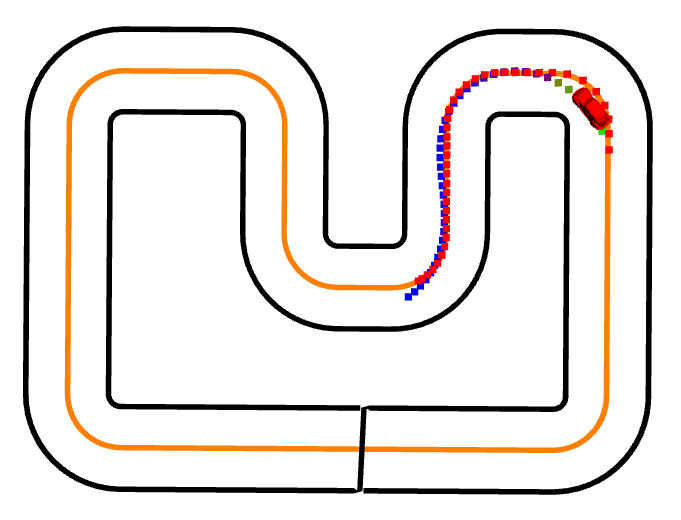
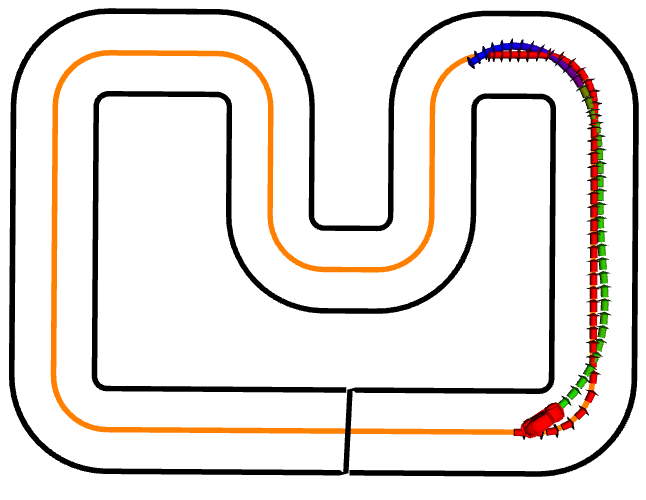
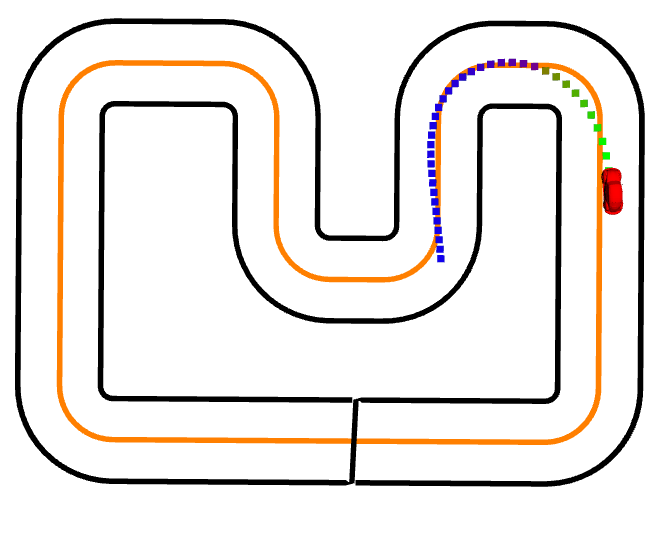
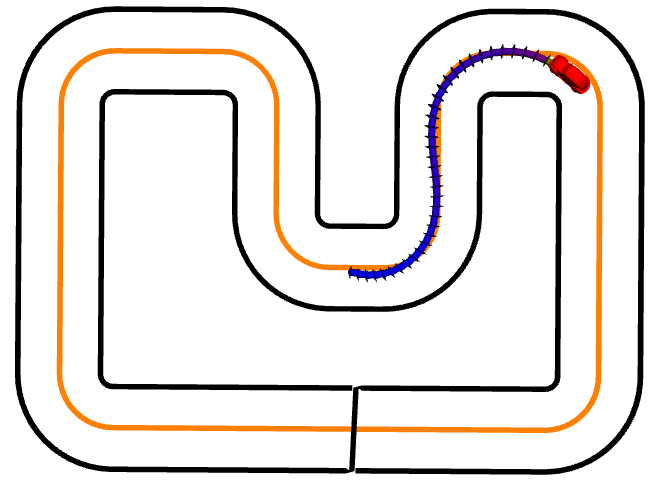
The mpc controller visualizer allows to display the planned controller trajectory and the selected reference trajectory on the center line. If requested, the trajectory is rendered as arrows which also highlightes the (planned) yaw angles. Finally, the planned trajectory is color coded (blue-red-green) in order to visualize the planned velocities.
The MPC Safety Filter allows to use a possible unsafe controller within the CRS framework. It works by applying an input that is as close as possible to the provided reference input from the unsafe controller while still ensuring that the car will not leave the track.
In order to run the safety filter, make sure to create a file in your experiment folder and pass the argument use_safety_filter:=true to the .launch file.
If you chose to use the mpc visualizer with the safety filter, the planned trajectory of the safety filter will be shown whenever the filtered input differs from the input provided by the original controller.
Full Yaml Config Structure
safety_filter.yaml
state_type:pacejka_carinput_type:pacejka_carsafety_filter_type:mpc_filterconfig:solver_type:acados# solver that is usedreference_method:uniform# method that is used to generate reference trajectory (uniform or const_input)dist_targ_multiplier:3# Multiplier that maps an applied torque to the expected driven distancemin_terminal_dist:1# Min distance the car must drivemax_terminal_dist:5# Max distance the car can driveuse_torque_filter:true# If true, make sure driving distance does only decrease by max dist_decrement_max in each iterationdist_decrement_max:0.01# Max distence decrementin each iterationloookahead_time:0.1# By how much the state should be advanced threshold:0.01# Threshold. If the input norm was modified more than this threhsold, a visual hint is shown with the planned trajectory# Costcost_torque:0.08cost_steer:0.08cost_delta_torque:0cost_delta_steer:0visualizer:type:mpcrate:15# Visualizer specific parametersframe_id:crs_frame# defaultnamespace:mpc# defaultuse_arrows:false# If true, use arrows to visualize planned and reference yaw angle. This option is a lot slower and may introduce visual lagsdouble_min_velocity:1.5# Min velocity for visualization (this or below gets mapped to blue)double_max_velocity:3# Max velocity for visualization (this or above gets mapped to red)planned:size_x:0.04# 0.07 for arrowssize_y:0.04# 0.02 for arrowssize_z:0.04# 0.02 for arrowsreference:r:1g:0b:0a:1size_x:0.04# 0.07 for arrowssize_y:0.04# 0.02 for arrowssize_z:0.04# 0.02 for arrows
ROS Information
Node Names
Description
safety_filter_node
Main entry point of the safety filter
Launch File Arguments
Argument
Default
Description
car_state_topic
safety_filter_node/state
Topic where state of the car is published.
safe_car_input_topic
safety_filter_node/safe_car_input_topic
Topic where the safe control input is published
car_input_topic
safety_filter_node/car_input_topic
Topic where the (unsafe) controller input is published
# Visualization parameters for mpc visualizervisualizer:type:mpcrate:10# Visualizer specific parametersframe_id:crs_frame# defaultnamespace:mpc# defaultuse_arrows:false# If true, use arrows to visualize planned and reference yaw angle. This option is a lot slower and may introduce visual lagsdouble_min_velocity:1.5# Min velocity for visualization (this or below gets mapped to blue)double_max_velocity:2.5# Max velocity for visualization (this or above gets mapped to red)planned:size_x:0.04# 0.07 for arrowssize_y:0.04# 0.02 for arrowssize_z:0.04# 0.02 for arrowsreference:r:1g:0b:0a:1size_x:0.04# 0.07 for arrowssize_y:0.04# 0.02 for arrowssize_z:0.04# 0.02 for arrows