Calibration
This page outlines how to calibrate the Lighthouse positioning system. Calibration in this context means finding the pose of the base station(s) relative to the track and the intrinsic parameters of the base station(s).
Calibration can be performed using the ros_lighthouse_calibration package. The package contains a launch file that starts the calibration node.
Documentation index — full table of contents.
Understanding Calibration
The calibration of the Lighthouse system consists of the position and rotation of the base station, , \(p_{\text{bs}}\) and \(R_{\text{bs}}\), with respect to the world reference frame. Further, two factory-calibrated offsets of the light planes \(\delta t_1, \delta t_2\) are received from the base station's data stream.
Lighthouse angles received at \(n_\text{cal}\) static known positions \(p_i \in \mathbb R^2\), \(i = 1, \ldots, n_\text{cal}\), are recorded and averaged over the four photodiode sensors \(\bar \alpha_{i,l} = (\sum_{k} \alpha_{i,k,l})/k\), for both light planes \(l \in \{ 1, 2 \}\).
Then, we solve the optimization problem minimizing the mean squared error between the angle measurements \(\bar \alpha_i = \left[ \bar \alpha_{i, 1}, \bar \alpha_{i, 2} \right]^\top\) and the expected measurements from the Lighthouse sensor model:
where \(\Phi = (\varphi_1, \varphi_2, \varphi_3)^\top\) as \(R_{\mathrm{bs}} = R_z(\varphi_3) R_y (\varphi_2) R_x (\varphi_1)\).
Methods to Calibrate
There are three methods to calibrate the system:
- Fully manual: The user enters the coordinates of the points on the fly. This is the most tedious method and can be error-prone, but it is the most flexible.
- Track coordinates from a YAML: The coordinates are loaded from a YAML file and the ROS parameter server. The user only needs to confirm the start of each measurement.
- Full measurements from a YAML: If calibration has been performed, but for some reason the solver did not succeed, a full measurement can be loaded from a YAML file and the solver is invoked again.
It is recommended to use method 2
Prerequisites
- Power on the base station(s) and the place the Lighthouse deck inside the calibration tool. A car must be connected to the Lighthouse deck to provide power. Make sure that the red LED on the Lighthouse positioning deck turns off when turning on the power on the PCB.
- Make sure that you have a connection to the car. Use the car's web interface to set the correct IP and port of your host computer.
- Move the car into the field of view of all base stations. For best results, place the car in the center of the field of view.
Fully Manual Calibration
- Make sure you followed the prerequisites.
- Launch the calibration node using the launch file, overriding the default arguments:
- Wait for the intrinsic parameters of the base station to be received. This can take up to a minute. For this step, the calibration tool can be placed arbitrarily in the field of view of the base stations, but for best results, place it in the center of the field of view.
- Once finished, the calibration node will ask for the number of points. Enter the number of points you want to use for calibration.
- For each point:
- Move the calibration tool to the desired position, such that the center of the tool is at the desired position. The orientation does not matter.
- Enter the \(x\) coordinate in the track frame, press Enter.
- Enter the \(y\) coordinate in the track frame, press Enter.
- Wait for the measurements to be taken. Repeat with the next point as soon as the calibration node moves on.
- The calibration node will output the calibration data and the measurement model.
- Copy the measurement model to
estimator.yamlunder the list of sensors.
Track Coordinates from a YAML
- Make sure you followed the prerequisites.
- Open the
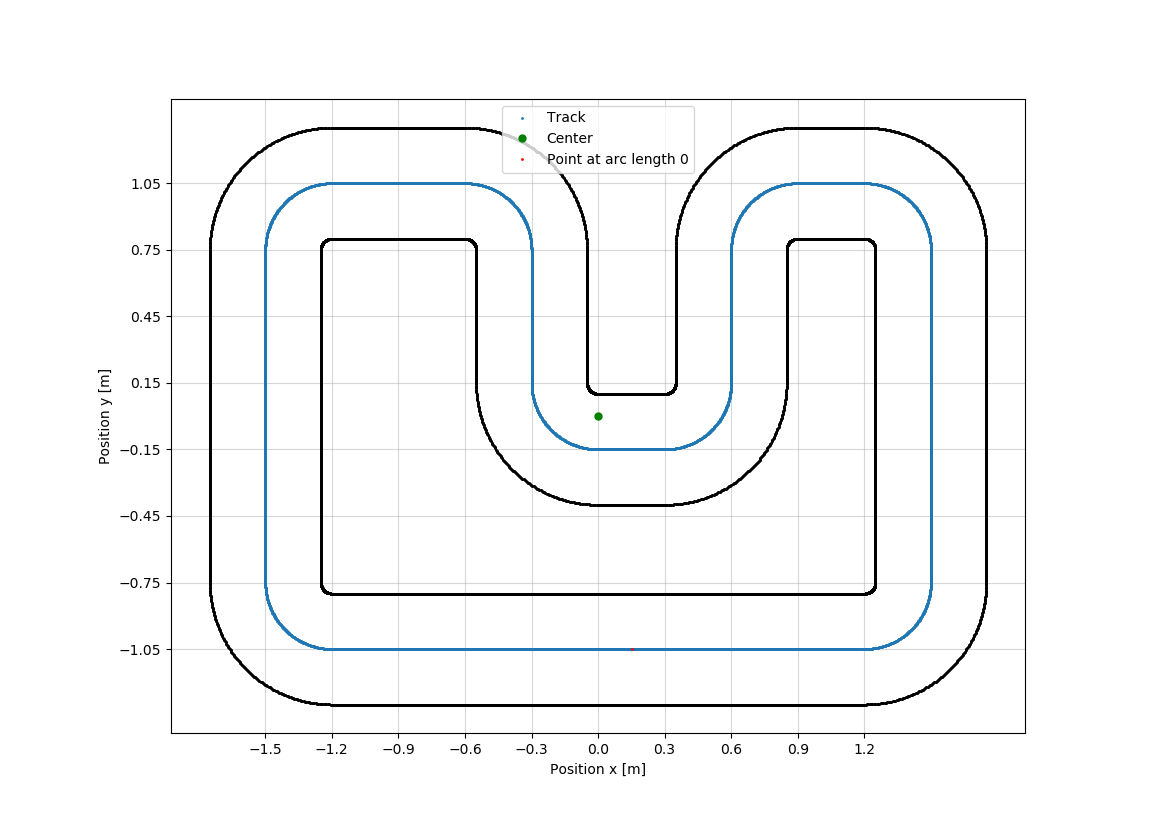
lighthouse_calibration.yamlfile and edit thelighthouse_calibration/pointslist. Add the coordinates of the points you want to use for calibration. For the DEMO_TRACK, the a grid with coordinates is available. - Specify the base station(s) IDs you want to receive data from in
lighthouse_calibration/base_stations.
- Make sure to have the
idfield set correctly to the channel number of the base station. If you are not sure which channels to use, leavebase_stationsempty (base_stations: []) and the calibration node will auto-detect the base stations. - Make sure that the base stations you want to calibrate have no
anglesfield in the YAML. If there is ananglesfield, the calibration node will skip directly to the solver. - Launch the calibration node using the launch file:
- Wait for the intrinsic parameters of the base station(s) to be received. This can take up to a minute. For this step, the calibration tool can be placed arbitrarily in the field of view of the base stations, but for best results, place it in the center of the field of view.
- Follow the instructions on the screen. Move the car in-between positions and confirm the start of each measurement with
Enter. - The calibration node will output the calibration data and the measurement model.
- Copy the measurement model to
estimator.yamlunder the list of sensors.
Full Measurements from a YAML
This method is useful if the calibration node failed to solve the optimization problem. In that case, the calibration node will output a YAML file with the full measurements.
- Copy the YAML data from the terminal output into
lighthouse_calibration.yaml. - Run the calibration node using the launch file:
- If the solver fails again, consider changing the initial conditions in the YAML file.
lighthouse_calibration_node:
  [...]
  initial_condition:
    [...] # modify the position and rotation angles
Troubleshooting
"Receiving Calibration Bit Stream" is Taking Too Long
In the beginning, the calibration node will wait for the base station(s) to send the intrinsic calibration data, that is the factory calibrated offsets of the light planes.
This is performed by parsing the additional bits modulated on the bit stream. Currently, each bit needs to be received, which means that each dropped Lighthouse frame will mean that the parsing needs to start over.
To resolve this issue:
- Receive the bit stream from each base station separately: unplug all base stations but one after the detection phase.
- Place the calibration tool so that the received rate of frames is 100Hz (perfect visiblity for that base station).
- Wait for the intrinsics to be received for that base station.
- Repeat for the other base stations.
After all the intrinsics have been received, plug all base stations back in. For the calibration points, not all frames need to be received and lower rates are acceptable.
Example Measurement Model
The following is an example of what the output measurement model of the calibration node looks like. Copy the model to estimator.yaml under the list of sensors.
  lighthouse:
    sensor_pos:
      value: [[0.035, 0.02, 0.035, 0.02], [0.015, 0.015, -0.015, -0.015]]
    key: lighthouse
    base_stations: ["bs0"]
    bs0:
      bs_ID: 0
      R:
        value: [[0.000101, 0.0001, 0.0001, 0.0001], [0.0001, 0.000101, 0.0001, 0.0001], [0.0001, 0.0001, 0.000101, 0.0001], [0.0001, 0.0001, 0.0001, 0.000101]]
      P_bs:
        value: [[0.423652], [0.449405], [1.99268]]
      R_bs:
        value: [[-0.0939952, 0.993122, -0.0698045], [-0.0609725, -0.0757257, -0.995263], [-0.993704, -0.0892937, 0.067671]]
      dt1: -0.0508728
      dt2: 0.0464478
Known Calibration Positions
DEMO_TRACK